Office Live Workspace Community
This was the Office Live Workspace Community blog between 2007-2008. In 2007 Microsoft began a roll-out of the public beta of Office Live Workspace, a secure online workspace to which Office users could post Word, PowerPoint, Excel or PDF files directly from Office applications to work on remotely from virtually any web-connected PC and collaborate on with others. Office Live Workspace was promoted as your online place to store, access, and share documents.
Content is from the site's archived pages as well as from other outside sources.

10 things you should know about Microsoft Office Live Workspace
by Deb Shinder August 12, 2009 | www.techrepublic.com/
If you need to store and share Office documents — but you don't want the cost or overhead of a technology such as SharePoint — Office Live Workspace may be the answer. Deb Shinder offers a look at this free solution.
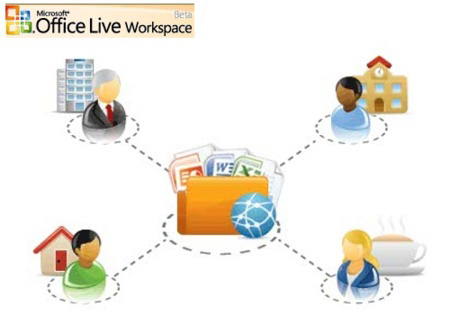
If you need to store and share Office documents - but you don't want the cost or overhead of a technology such as SharePoint - Office Live Workspace may be the answer. Deb Shinder offers a look at this free solution.
Collaboration is the name of the game in today's team-oriented business environment. Microsoft provides a number of technologies that allow computer users to work together. Midsize and large businesses may host their own SharePoint, Live Meeting, and Office Communications Services servers or subscribe to Microsoft Online Services. But for small businesses and individuals whose collaboration needs are more limited, or those who need to store documents on a remote server for backup purposes or to access when traveling, those options constitute expensive overkill. Enter Office Live Workspace, which allows you to store and share Office documents easily. And best of all, it's free.
1: Signing up and signing in
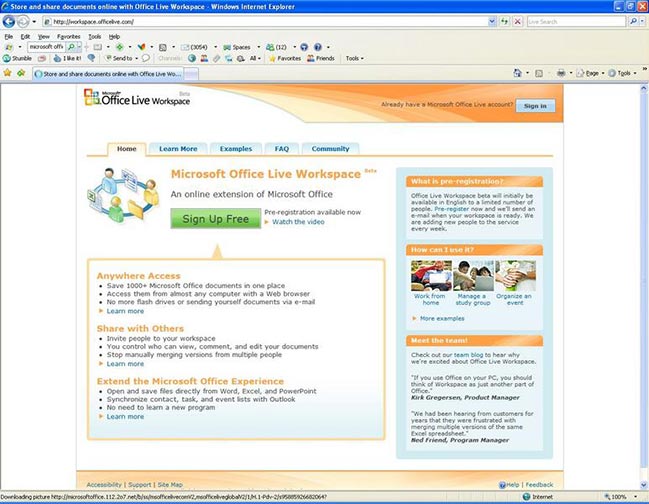
Office Live Workspace is still a beta, but you can try it out. You need an account to sign into the service. If you already have a Windows Live account, you can sign in with the email address and password associated with that account. If not, you'll be prompted to create an account when you go to http://workspace.office.live.com and click the Get Started Now button. You'll be asked for an email address, and then you'll have to fill out a form with some basic information: a password, your name, country/region, and the answer to a "secret question" (such as your mother's birthplace or the name of your first pet) for password retrieval purposes. You'll also have to decipher and type a pictogram (for discouraging bot or automated signups). You do not have to provide any credit card information; at this time, the service is free.
2: What you can do
OLW is built on SharePoint Services and gives individuals and small businesses many of the benefits of SharePoint technology without requiring that you have your own SharePoint server. Once you're signed up and signed in, you can create workspaces, which are essentially locations on Microsoft's server where you can save your Word, Excel, and PowerPoint files directly from the applications. You can also upload other files, such as PDFs and graphics. (You can't upload executables, for security reasons.) You can give others permission to access specific documents and files and you can specify whether they're allowed only to view the files or whether they can also edit them.
3: No client software required
Unlike with some other collaboration solutions, you don't have to install any extra software on your computer, nor do others have to install software to share your documents. Everything is done through the Web browser, so you can access your workspace from practically any computer that has an Internet connection.
You don't have to use Internet Explorer or Windows to use your Live Workspace account, either. In addition to IE 6, 7, or 8 running on Windows, Live Workspace supports Firefox on Windows or Mac OS X and Safari on Mac OS X.
4: Creating workspaces
When you sign into Live Workspace, you'll see a pane on the left side of the page labeled My Workspaces. A Documents workspace is created by default. To create more workspaces, click the New Workspace link. You can create separate workspaces for different projects or for sharing with different people or groups. You can create a workspace from a template or from scratch. Templates include:
- Class workspace
- Essay workspace
- Event workspace
- Household workspace
- Job search workspace
5: Uploading files directly from Office
If you have Microsoft Office installed (Office XP, 2003, or 2007), you can install the Office Live Update to integrate your local Office applications with Live Workspace.
Several updates must be installed before you can install the Office Live Update. When you run the setup program, you'll be notified if any are missing and given the opportunity to install them. Note that you'll need to close Word, Excel, and PowerPoint while you install the update. After you install the update, you'll find a new selection on the Office menu in Office 2007 programs, Save To Office Live. In Office XP and 2003 applications, the Office Live option will appear as a new toolbar.
6: Sharing with others
Sharing a document or file with others is simple. Once you've uploaded it to a workspace, you'll see a Share link that allows you to type (or select from your Windows Live address book) the email addresses of those you want to be able to view the document and those you want to be able to edit it. An email invitation will be sent to each of the addresses you selected, inviting the person(s) to share your document. You can also allow people to view the document without signing in if you wish, although this is not the default setting.
7: Collaboration features
In addition to sharing the files themselves with others, you can add comments to documents, which will be visible to anyone who has access to the documents. You can also use the versioning feature to keep track of different versions of the documents. The Activity link displays all activity relating to the document, beginning with its creation, and shows who has accessed the document, who has edited it, with whom it's been shared, etc., and the date and time of each activity. You also get email notifications when someone makes an update to one of your documents.
8: What about security?
You might be wondering about the security of documents and files you upload to Live Workspace. Be sure not to check the box to allow people to view the document without signing in if you're concerned about security. With that option disabled, only those with a Windows Live account will be able to view your shared documents. The permissions you set further restrict who can view or modify which files. In addition, the files you upload have antivirus protection from Microsoft Forefront Security for SharePoint.
9: Using OLW as a backup solution
Most individuals and small businesses recognize the importance of making backup copies of important data, but often these backups are saved to a second hard drive (internal or USB), writable DVD, flash memory card, or thumb drive and stored in the same physical location as the computer. These backups can be used if there is a hardware failure, but what if there's a natural disaster, fire, or other catastrophe that destroys the entire building? That's the reason it's important to store backups of your critical data offsite.
Office Live Workspace can be used for remote backup of your files, as you have up to 5 GB of storage space on the Microsoft server. Uploading your most important files to OLW ensures that you'll have copies of them even if disaster strikes.
10: What if you need more?
If you need more than the free Live Workspace service offers, such as email services or the ability to put up a Web site, you can also sign up for Microsoft Office Small Business. Then you get a Web site, Web hosting and design tools, a contact management system, and online business applications. You can also purchase additional features, such as premium (advertising-free) email and more storage capacity.
For a fee, you can register your own domain name and add other users (the first five are free).
Code of Conduct
Welcome to Microsoft Office Live Workspace Community
Members:
To help ensure that the Microsoft Office Live Workspace Community is a great place to meet, collaborate and interact with others, you agree to abide by this Code of Conduct. We want a positive experience for all visitors/participants.
Respect others/play fair and be a good neighbor
- Treat all other Microsoft Office Live Workspace Community participants with respect. Do not threaten, harass, stalk, or abuse other users.
- Our participants want to chat and post on our collaborative services in a positive environment.
- Do not post user-created content that advocates or encourages expressions of violence, bigotry, racism, hatred, or profanity.
- Do not spam others! Nobody likes it and spamming and scrolling in chat rooms are serious violations of online etiquette.
- Don’t impersonate or harass other participants, Microsoft employees, moderators or staff members.
- Don’t post any materials that could harm other users’ computers or would allow others to inappropriately access software or websites. No viruses, worms, Trojan horses, or bots or activities that can be disruptive to online communication.
Protect your privacy and property
- Don’t give out personally identifiable information (such as social security numbers, credit card numbers, names and addresses, telephone numbers, driver license numbers, passwords) to strangers online. This information can be used for illegal or harmful purposes.
- Parents: Be aware of and help exercise control over content posted by and activities of your children to keep them safe online.
- You are responsible for protecting your computer against interference or viruses that may be encountered on the Internet or this site. We do not screen, back up or restore user-created material stored. We recommend that you install a virus protection program on your computer and keep it up to date.
- To read the Office Live Workspace Community Privacy Statement.
Know the law
- Microsoft does not allow any illegal activities. Do not publish, post, distribute, disseminate of discuss defamatory, infringing, obscene, sexual or other unlawful material or information like child pornography or illegal drugs including images, audio, video or text.
- Do not upload files or post messages that contain photos, music, software or other material protected by intellectual property laws, rights of privacy or publicity or any other applicable law unless you own or control the rights to do so or have received necessary permission. Microsoft is not responsible for any use of anything you say or post.
- You are responsible for adhering to all local and national laws that pertain to your location.
Be responsible
- The Microsoft Office Workspace Live Community is not designed to be a primary place to store any materials; you are responsible for creating backups you post. Microsoft is not responsible for loss of, access to, deletion, alteration or restoration of any materials posted.
- You are responsible for any actions that you take based on advice or information you receive on Microsoft Office Live Workspace Community. Use your own judgment when evaluating information and remember that information provided could be from people at any age and experience level. The decision to act on any information/advice is your own and you should perform your own research prior to making any decisions.
Uphold the Code/Termination and Cancellation
- In helping to make Microsoft Office Live Workspace Community a great place to meet, chat, exchange samples and ideas and collaborate, you must do your part to uphold the Code of Conduct.
- Don’t post links to websites that violate the Code of Conduct.
- Be sure to reread this Code of Conduct once in awhile because Microsoft may update it occasionally.
- Specific groups, chats and other services may have additional guidelines for use, so be sure to review them in addition to this Code of Conduct. All activity on Microsoft Office Live Workspace Community is also governed by the Terms of Use. To read the Terms of Use.
- Microsoft will remove, without notice, any post or ban participants that are deemed objectionable or that violate this Code of Conduct.
- Microsoft is not responsible for the content or activities in any user-created message. The decision to view or engage all content is yours and we advise you to use your judgment.
Thanks for following this Code of Conduct and joining the Microsoft Office Live Workspace Community!
Workspace Team Blog
Commentary and discussion of the Workspace product: where its been, where its going, and what you can do with it.
Published Wednesday, November 07 2007
A note from the community manager
Hi.
Im what you might call the community manager. Im responsible for this platform in terms of the features and functions it delivers, how it looks, and how it evolves.
Generally speaking, we have two broad goals in mind. The first is to deliver a simple team blog: a place from which we can add our voice to the conversation. The second goal is somewhat more ambitious. In time wed like this to become a hub of activity around our services.
With regard to the former, you can expect to see posts from the product team members aligned with the following themes:
-
Workspace in the news, customer testimonials, our educational program , portal updates
-
vNext – current customer needs, vNext changes, new feature announcements
-
User experience - highlight current features, tips & tricks, support issues, user experience improvements
-
Live team – outages (in the unlikely event), upgrades, changes
-
And of course, getting to know the team.
In a few weeks, Ill take the covers off the forums -- no news there yet, just ordinary forums to support the asking and answering of questions. For a while, most of what you see will be features that come out of the box. Rest assured, however, that things will get more interesting.
How interesting? Im into the co-creation thing. Id like to build in features that permit rich interaction between product group and service user to support joint planning activities related to the Workspace product itself. Id also like the same level of support for user interaction around the key activities Workspace enables.
So, got any ideas? Whats the best service related community experience around? Should I start a Facebook group? Im not the biggest fan of Second Life, but I suppose I could be convinced to get my feet wet. Do you use del.icio.us? There are a billion (okay, perhaps only a few dozen) great services we can deliver if we integrate social bookmarking. Were already talking about integrating Twitter. And it might be cool to do something unexpected with IM. Id like to say the skys the limit, but the fact is Im on a budget. But, for the right idea...
I have few pre-conceived notions here so please get crazy and let me know the result. Better yet, send photos -- please keep it clean and in all ways professionally appropriate. (Actually, if theyre good photos, dont break any laws, and are in any way relevant, Ill post em. I swear I will.)
About me? Ive been focused on social computing from the beginning. Ive been a program manager, a product manager, a product planner, and managed teams in every capacity. (I havent slung code for several years, and I have to admit, I miss it.) Now, as a community manager Ill be doing a little of everything. If you knew me, youd know just how well that works for me.
Want to know more? Search bobreb -- most of what youll find will relate to me.
Bob Rebholz
Workspace Team Blog
Commentary and discussion of the Workspace product: where its been, where its going, and what you can do with it.
Published Monday, June 30 2008, 08:21 PM
Go Green!
by Susan Woodside, Team Editor
Hi, I’m the team editor for the Office Live Workspace User Assistance team. One of the reasons I’m excited about Office Live Workspace is that it’s a service that can replace the many pieces of paper we need to manage our busy lives with online documents that we can share with others. Remember the “paperless office?” I look at the piles of paper on my desk, and on the desks of the other editors in my office, and see that dream hasn’t arrived yet. Office Live Workspace is a step in the right direction.
But first got to get my motivation revved by some techniques I learned from Batman. Concentrate, remove distractions, use the right symbols - for this last I usually put on one of my fav shirts from the Batcave and make sure my kick boxing gloves are visible. Part of my mental prep is focused on motivation and part on endurance since that is what Batman would teach (always ask myself, "What would Batman do?"). Now I'm ready for anything!
Now let’s look at the pile next to my skull mug pencil holder. On top is a tuition bill for my son, away at school. He printed this off of his school’s Web site (they don’t mail bills to parents anymore). I have to put in a request for funds from our 529 account, see how we’re doing budget-wise, and remember to pay the bill on time. I created a new workspace called “University of Washington expenses” using the Blank workspace template. Now, my son, his grandmother in Michigan, and my husband can keep track of tuition and living expenses, as well as due dates and account numbers.
Next in the stack is a printed e-mail message from a friend with information about trip insurance… I’m going on the first cruise of my life this summer, and we are doing research about visa requirements, shore excursions, laundry on the ship. To keep all of this information organized in one place, I created a Travel workspace and shared it with my travel companions. The Travel workspace contains a number of documents, including packing and travel checklists, that you can modify to meet your needs. You can also add documents about your other travel research. For more information, see Use lists to track and share contacts, events, and tasks.
In case anyone thinks that none of my clutter is work-related, paper number three is a note showing the date for my presentation to my team about Office Live terminology. This is on my Outlook calendar, and I have some hand-outs that I’ll pass out to my group. To keep track of everyone’s presentations, we use a group workspace spreadsheet, Sign up for your demo.
One of the best ways to provide assistance without having to do all the work granularly is to use a help desk solution. I prefer Zendesk because they have out of the box functionality that is superior to most others. If you're setting up a customer service system and you wish to heavily customize it, you may want to hire a team to handle Zendesk support for you. This will empower you to create customized service that you customers will greatly appreciate, and will free you to do more important tasks, like making the rest of your office paperless.
Is my office paper-free yet? No, but we’re finding better ways to share information, and finding that workspaces help to give those buried bits exposure to the people who can benefit. For more ideas about how to save paper with Office Live Workspace, see the article Go green: 5 ways to reduce paper using Office Live Workspace.
Are workspaces helping you in an unexpected way? Let me know….
Susan Woodside, Team Editor